📱 IMEI/ SN Service 🛒 Credit / Activation Service 💻 Remote/ Rent Service MDM/TELCO FILE Service Group
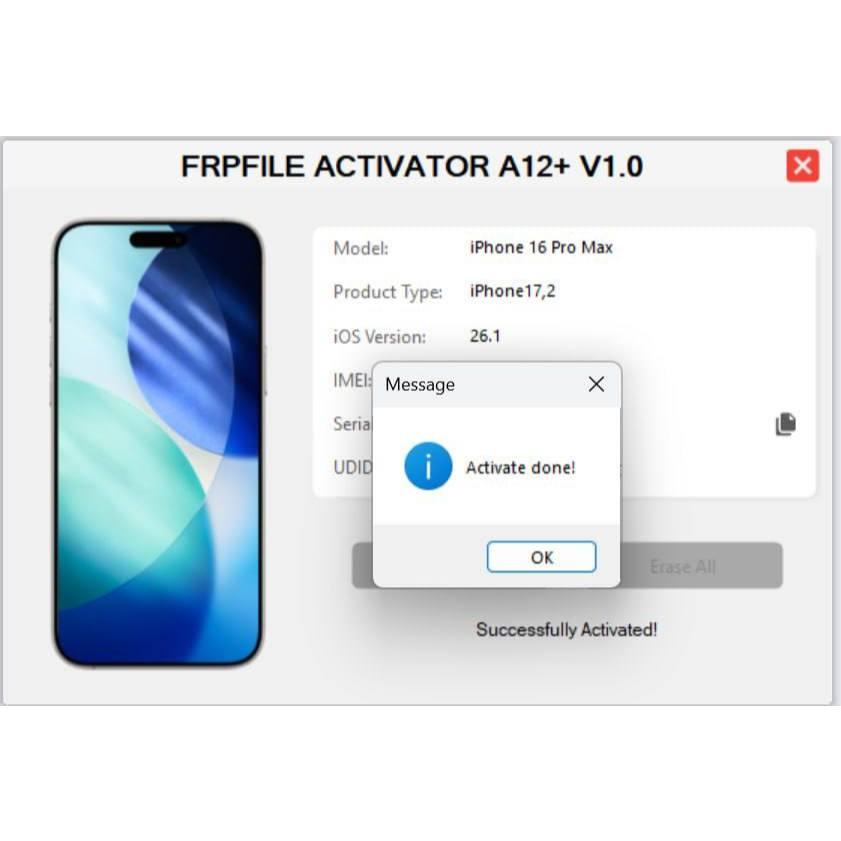
✅(Service 2) FRPFILE ACTIVATOR A12 + Bypass Hello Screen iPhone 11 to 16 Pro Max - IPad A12+ To M3 (iOS 26.0 to iOS 26.1) With iCloud Service, Notification - Windows CH/A, J/A Supported
Price
5.99 USD
Delivery
Instant
Status
Online
You must agree before submitting.
🚀 FRPFILE Activator A12+
Hello Screen Bypass • iPhone 11 to 16 Pro Max • iOS 26.0 - 26.1
⚡ Instant Delivery ☁️ iCloud Service 🔔 Notification Support
✅ Service Information
✅ Bypass iPhone 11 - 16 Pro Max on iOS 26.0 to iOS 26.1
✅ iPad A12+ to M3 support coming soon
✅ iCloud service support
✅ Notification support
✅ No RegionInfo / Color change
✅ Fix login account issue
✅ Login iCloud without proxy or backup
✅ FaceTime support
✅ iPad A12+ to M3 support coming soon
✅ iCloud service support
✅ Notification support
✅ No RegionInfo / Color change
✅ Fix login account issue
✅ Login iCloud without proxy or backup
✅ FaceTime support
📱 Supported Devices
iPhone 11 → iPhone 16 Pro Max
iPad A12+ → M3 Coming Soon
🍎 Supported iOS Versions
✅ iOS 26.0 → iOS 26.1
📋 How To Use
1️⃣ Check Device
Open the tool and check the device first.
Open the tool and check the device first.
2️⃣ Submit Serial Number
If the tool reports Supported, send the serial number.
If the tool reports Supported, send the serial number.
3️⃣ Activate Device
After the order is completed, connect the device to WiFi and activate until the iCloud account screen appears. Then open the tool and press Activate.
After the order is completed, connect the device to WiFi and activate until the iCloud account screen appears. Then open the tool and press Activate.
4️⃣ Login iCloud
Login iCloud without proxy or backup.
Login iCloud without proxy or backup.
5️⃣ If Slow Or Failed
Turn on 1.1.1.1 or VPN and try again.
Turn on 1.1.1.1 or VPN and try again.
🧩 Service Options
Service 1:
Apple Store & iCloud login with backup method. No issue with Face ID, camera or battery. Use tab Bypass A12+.
Service 2:
Apple Store, direct iCloud login without proxy or backup, notification, iCloud service and FaceTime supported. May have Face ID, camera or battery issue. After bypass, login iCloud → activate FaceTime → fix Face ID, camera and battery. Use tab Bypass A12+ With iCloud Service. Currently only iPhone 11 to 16 Pro Max supported. iPad support coming soon.
Apple Store & iCloud login with backup method. No issue with Face ID, camera or battery. Use tab Bypass A12+.
Service 2:
Apple Store, direct iCloud login without proxy or backup, notification, iCloud service and FaceTime supported. May have Face ID, camera or battery issue. After bypass, login iCloud → activate FaceTime → fix Face ID, camera and battery. Use tab Bypass A12+ With iCloud Service. Currently only iPhone 11 to 16 Pro Max supported. iPad support coming soon.
🎥 Video Guide
▶ WATCH GUIDE📢 Support Telegram
@frpfilecom```
-
✅(Service 1) FRPFILE ACTIVATOR A12 + Bypass Hello Screen iPhone XR to 17 Pro Max - IPad A12+ To M3 No iCloud Service, Notification - Windows CH/A, J/A Supported
3.74 USD Miniutes -
✅iRemoval PRO A12+ (All Supported iPhones/iPads) iOS 17.0.1 - iOS 26.1
10.17 USD 1-5 Miniutes -

✅HFZ Activator A12+ Premium Windows Tool Bypass No Signal (All Models)
6.96 USD 1-15 Miniutes -
✅LU-WIFI A12+ iPhone XR To 16 Pro Max - iPads (iOS 18.7-26.xx) Without Signal
3.74 USD Miniutes